The Japanese words you will actually meet are not obscure telecom jargon. They appear on airport counters, rental confirmations, phone settings, return envelopes, and data-plan screens. The practical answer to eSIM or pocket WiFi in Japan is simple: choose an eSIM for one traveler, usually choose separate eSIMs for two, and compare the live router quote once three or more devices need full-time access.
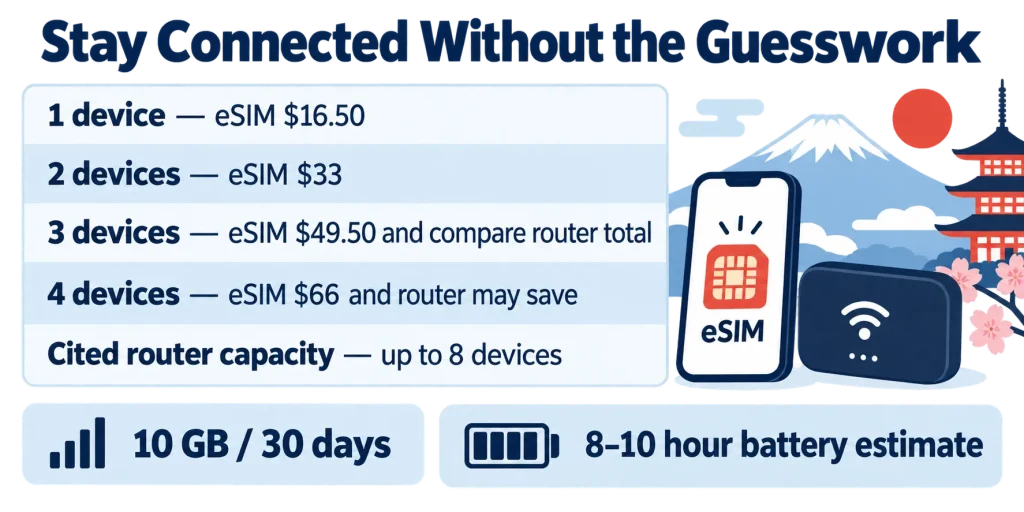
That third-device rule is a price checkpoint, not a law. On September 11, 2026, Ubigi listed a 10 GB, 30-day Japan eSIM at $16.50. That makes the bill $16.50 for one device, $33 for two, and $49.50 for three. A router pays off at three devices only when its complete rental price—including insurance, delivery, and return costs—is below $49.50 for the same trip.
The other boundary is physical. An eSIM cannot be forgotten in a hotel room, cannot run out of battery, and does not need to be returned. A pocket router must stay charged, stay with the group, and go back to the rental company—but, despite a common claim, it does not always have to be returned at the airport.
If you are arranging the rest of arrival day, Flights, Airports and the First Two Hours explains what happens between landing and reaching the city. The connection decision belongs in that sequence because you want maps working before you leave the terminal.
The actual eSIM vs pocket WiFi Japan decision
An eSIM is the cleaner choice when every traveler has a compatible, unlocked phone and the group may split up. Each person keeps an independent connection, so nobody loses directions, train information, or messages when the router carrier walks into a different store.
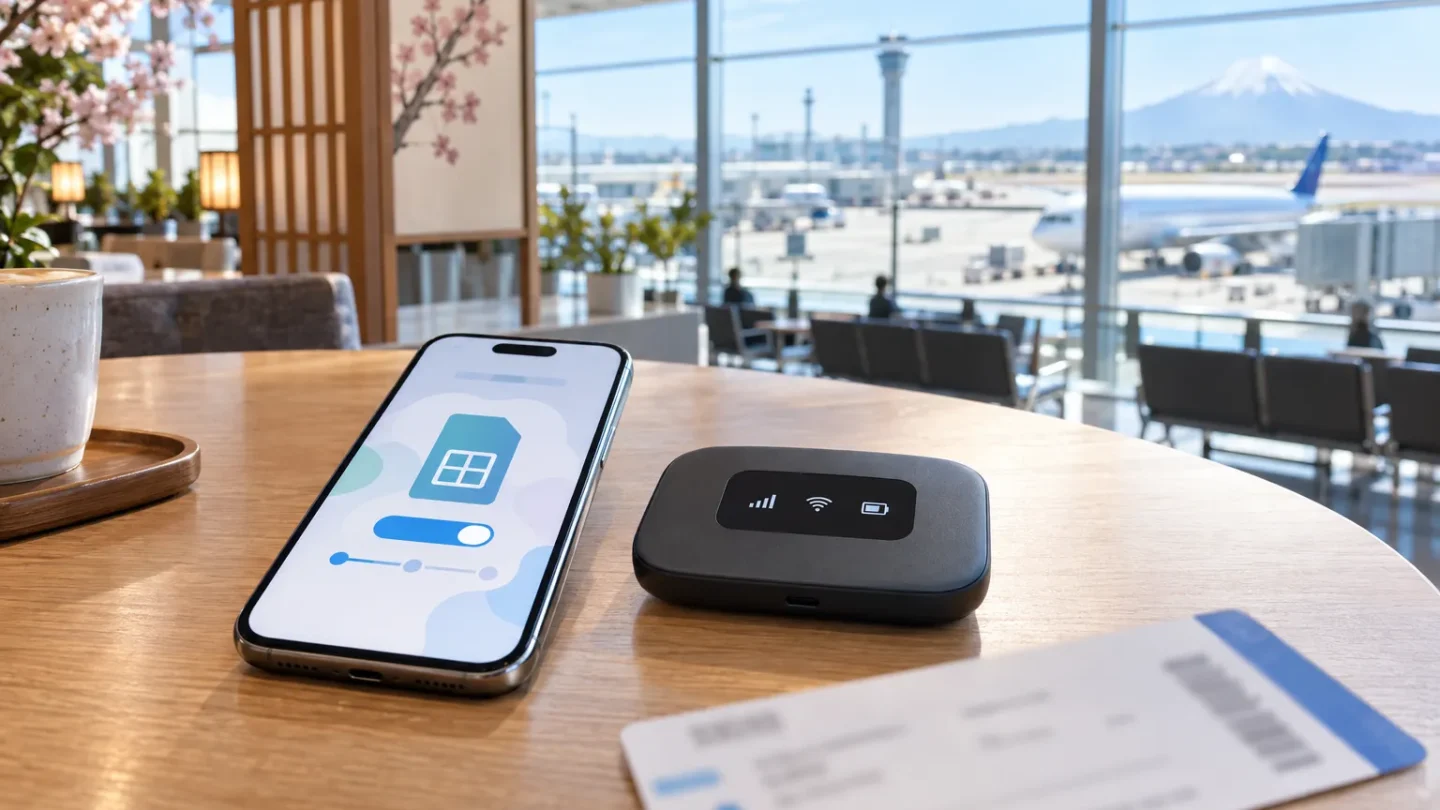
A pocket router becomes competitive when several phones, tablets, or laptops will remain together. Japan Wireless says its current unit accepts up to eight connected devices and includes a power bank. Its published battery estimate is eight to ten hours, which means the power bank is not decorative—it may be what carries the router through a full sightseeing day.
Use this order:
- Check every phone for eSIM compatibility and carrier lock status.
- Count the devices that genuinely need mobile data.
- Multiply the chosen eSIM price by that number.
- Request a router quote for the exact pickup and return dates.
- Add insurance, delivery, and any return charge.
- Choose the router only if the total is lower and the group will usually stay together.
Three devices create the first sensible comparison point; they do not automatically make the router cheaper.
| Setup | Example bill using a $16.50 eSIM | Best fit | Main cost you may overlook |
|---|---|---|---|
| One phone | $16.50 | Solo traveler | Phone must be unlocked and compatible |
| Two phones | $33 | Couple that may separate | Each plan has its own data allowance |
| Three phones | $49.50 | Compare both options | Router return, battery, and insurance |
| Four phones | $66 | Router often becomes attractive | Everyone depends on one device |
| Family plus tablet | Compare with $82.50 for five eSIMs | Router if the group stays together | The tablet loses service away from the router |
The calculation uses Ubigi’s 10 GB, 30-day Japan plan listed on September 11, 2026. It is an example, not a permanent market price. Recheck both eSIM and router totals when booking.
イーシム — īshimu — eSIM
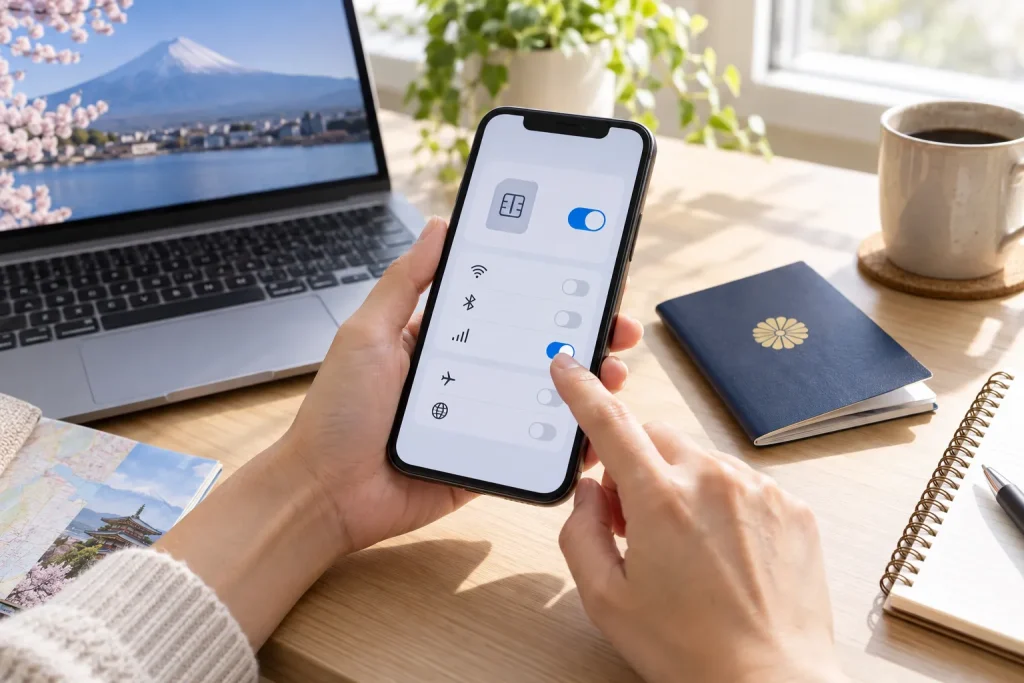
イーシム is the Japanese rendering of “eSIM,” literally an embedded subscriber identity module. You meet it while buying a plan, scanning a QR code, or opening the cellular settings on your phone.
The usual mistake is assuming “digital” means universally compatible. It does not. Your phone needs eSIM hardware, appropriate software, and no network lock that blocks another provider.
Apple describes the technology plainly:
“An eSIM is an industry-standard digital SIM built into your iPhone.” — Apple Support
A travel eSIM is commonly data-only, so it may not give you a Japanese telephone number. Messaging, maps, email, and internet calling still work, but restaurants or services that insist on a domestic number remain a separate problem.
ポケットWi-Fi — poketto waifai — pocket Wi-Fi
ポケットWi-Fi literally means “pocket Wi-Fi.” You meet the term on rental sites, airport collection desks, hotel-delivery forms, and the pouch containing the router and charger.
The common mistake is treating the device as an unlimited magic signal. It is a cellular modem: its coverage still depends on a Japanese mobile network, and any advertised “unlimited” plan must be checked for fair-use restrictions or throttling.
A second mistake is forgetting that Japan pocket WiFi rental creates a single point of failure. If the person carrying it goes back to the hotel, everyone else goes offline. If the battery dies, every connected device loses service at once.
SIMフリー — shimu furī — SIM-free
SIMフリー literally reads “SIM-free,” but this is one of the loanwords that does not mean what an American reader might expect. It means the phone is carrier-unlocked, not that it comes with free mobile service.
You meet it on device specifications, electronics-store labels, and compatibility instructions. The mistake is buying an eSIM because the model supports it without first checking whether the US carrier has locked the phone.
On an iPhone, open Settings, General, and About, then look for Carrier Lock. Apple says “No SIM restrictions” indicates an unlocked device. Android wording varies, so confirm with the carrier if another SIM or eSIM cannot be added.
データ専用 — dēta sen’yō — data only
データ専用 literally means “data exclusive” or data-only. You meet it in eSIM plan descriptions and prepaid SIM packaging.
The mistake is assuming the package includes ordinary calls and SMS. A data-only connection supports internet-based calls through apps, but it does not automatically provide a Japanese voice number. Ubigi explicitly identifies its service as data-only.
That distinction matters if your accommodation, ticket service, or restaurant expects a local telephone number. It usually does not matter for Google Maps, transit searches, translation, email, or messaging.
テザリング — tezaringu — tethering
テザリング is the Japanese loanword for tethering. You meet it in phone settings and plan conditions when you want to share an eSIM connection with a laptop or another traveler.
The common mistake is assuming every travel plan permits hotspot use. Ubigi’s Japan plan stated that data sharing was allowed when checked on September 11, 2026, but that permission cannot be generalized to every provider.
Japan eSIM tethering can make one plan serve two devices temporarily. It is less comfortable as a permanent family solution because it consumes the host phone’s battery and leaves the second device offline whenever the phones separate.
無制限 — museigen — without limits
無制限 literally means “without restriction” and is normally translated as unlimited. You encounter it in bold lettering on router and eSIM offers.
The costly mistake is reading only that word. Check the surrounding terms for daily high-speed allowances, fair-use policies, congestion controls, or speed reductions after heavy use. “Unlimited data” and “unlimited full-speed data” are not necessarily the same product.
Japan Wireless stated in July 2026 that its current router plan had no daily cap or fair-use policy. That is a provider-specific condition and must be checked again before publication or purchase.
“No daily limits. No Fair Usage Policy.” — Japan Wireless
受取 — uketori — receipt or pickup
受取 means receiving or pickup. You meet it on reservation forms when choosing where to collect a rental router.
The mistake is selecting an airport counter without checking its operating hours or terminal. Landing at Haneda does not help if your reservation is waiting at Narita, and an arrival after the counter closes can leave you offline.
Airport layout also matters. Two Tokyo Airports, Two Very Different Rides covers the transfer differences between Haneda and Narita rather than repeating them here.
A hotel delivery may remove the counter problem, but then you still need enough connectivity to reach the hotel. That is one reason an eSIM installed before departure remains the least complicated solo option.
空港カウンター — kūkō kauntā — airport counter
空港カウンター literally means airport counter. This is the second misleading loanword: カウンター does not mean a device that counts something. In this context, it is a staffed service desk.
You meet the term in pickup directions and airport maps. The usual mistake is treating “airport pickup” as though the router appears automatically after customs. You must find the correct terminal, desk, and business hours.
Your flight and airport should therefore be settled before reserving collection. Fares by Season, Departure City and Booking Window deals with the airfare decision, while this article stays with connectivity.
返却 — henkyaku — return
返却 means return or restoration. You meet it in the rental agreement, on the envelope supplied with the router, and in reminders sent near the end of the rental.
The mistake is believing every pocket router must go back to an airport desk. Return rules are set by the rental company. Japan Wireless supplies a prepaid, self-addressed envelope, while other businesses may use airport boxes, counters, courier services, or convenience-store shipping.
This directly contradicts the proposed blanket rule that “the router has to go back to the airport.” The accurate rule is less tidy: pocket WiFi return Japan must follow the provider’s instructions, and missing the deadline can create extra charges.
Do not pack the router in checked baggage before confirming the return method. If the envelope must be mailed in Japan, dropping it after you pass airport security may be too late.
返却ポスト — henkyaku posuto — return box
返却ポスト literally means return post or return box. Here, ポスト usually means a mailbox, not an online post or a job position.
You meet it in airport return instructions. The common error is assuming any mailbox will work. Some companies specify their own box, a postal mailbox, or a staffed counter, so the reservation instructions control.
Take a photo of the sealed return package and note where and when you deposited it. That small record is useful if a company later says the device arrived late.
通信制限 — tsūshin seigen — connection restriction
通信制限 literally means communication restriction. You meet it in fair-use terms or a warning that your connection has been slowed.
The mistake is interpreting it as complete disconnection. It commonly means reduced speed after a threshold or during network congestion, although the exact trigger depends on the plan.
Check whether the provider states a measurable allowance or reserves broad discretion. If the rule is vague, do not assume that “unlimited” will support hours of high-resolution video across several devices.
Phones that should not be assumed to support eSIM
A trustworthy eSIM compatible phones Japan check must use the exact model number and sales region. Model names alone are not enough because manufacturers sell different hardware variants under similar names.
Common devices and variants that do not support eSIM include:
- Apple iPhone X, iPhone 8 series, iPhone 7 series, the first-generation iPhone SE, and earlier iPhones;
- most iPhones made for mainland China, with Apple currently listing the iPhone 17e and iPhone Air as exceptions;
- Google Pixel models older than Pixel 2;
- certain carrier versions of Pixel 2 and Pixel 3;
- older Samsung Galaxy S and Note models released before eSIM was introduced in their product lines;
- Samsung Galaxy S20 FE and S21 FE variants that lack an Add eSIM option;
- many older or budget Galaxy A-series phones;
- phones that contain eSIM hardware but are locked by a carrier.
Apple’s current baseline is iPhone XS, XS Max, XR, or later, subject to regional exceptions. For Android, open Settings and search for “Add eSIM,” “Download SIM,” or “SIM manager.” If the control is absent, verify the precise model number on the manufacturer’s support page.
Compatibility is a hardware, region, software, and carrier-lock question—not just a phone-name question.
The glossary you will use on arrival
| Term | Reading | Literal meaning | Where you meet it |
|---|---|---|---|
| イーシム | īshimu | eSIM | Phone setup and plan purchase |
| ポケットWi-Fi | poketto waifai | Pocket Wi-Fi | Rental pages and router packaging |
| SIMフリー | shimu furī | SIM-free | Unlock status and device listings |
| データ専用 | dēta sen’yō | Data only | eSIM and prepaid SIM plans |
| テザリング | tezaringu | Tethering | Hotspot settings and plan rules |
| 無制限 | museigen | Without limits | Data allowances |
| 受取 | uketori | Receipt or pickup | Airport and hotel collection forms |
| 空港カウンター | kūkō kauntā | Airport counter | Terminal pickup directions |
| 返却 | henkyaku | Return | Rental contracts |
| 返却ポスト | henkyaku posuto | Return box | Airport or postal instructions |
| 通信制限 | tsūshin seigen | Connection restriction | Fair-use and throttling notices |
For a wider language reference, the site’s phrasebook with 337 phrases sorted by situation covers transport, hotels, restaurants, emergencies, and other moments when recognizing a phrase matters more than studying grammar.
What to buy before the flight
Buy the eSIM before leaving the United States, install it while you have reliable Wi-Fi, and leave the Japan data line switched off until instructed by the provider. Ubigi states that its Smartstart plan begins when the device reaches the covered destination; that activation behavior should not be assumed for another company.
For a router, book only after your flights and accommodations are fixed. Pickup terminal, first hotel, return airport, and departure time can all change which delivery method works.
Planning a First Trip to Japan: The Order That Works covers the larger booking sequence. If you are still deciding whether to buy nationwide train coverage, Is the Japan Rail Pass Worth It in 2026? does the route arithmetic separately.
Three terms worth memorizing
Memorize SIMフリー (shimu furī), 受取 (uketori), and 返却 (henkyaku). Together they answer the three questions that can cost you money: whether the phone is unlocked, where the device is collected, and how it must be returned.
The other terms only need to look familiar. If you recognize データ専用 as data-only and 通信制限 as a possible speed restriction, you can stop before accepting the wrong plan.
The final buying rule remains practical. One eSIM is the default for one person; two eSIMs are usually worth the independence; at three devices, compare the complete bills. Choose a router only if its total price wins and the group can tolerate sharing one battery-powered object.
Frequently asked questions
Does an eSIM give me a Japanese phone number?
Not necessarily. Many travel eSIMs, including the cited Ubigi plan, are data-only. You can use messaging and internet-calling apps, but you do not automatically receive a Japanese voice number.
Can two people share one eSIM?
An eSIM belongs to one device, but an eligible plan may permit tethering. That arrangement works when the phones stay close together, although it drains the host phone’s battery and leaves the second traveler offline when the pair separates.
Is pocket WiFi cheaper for a family?
It can be. Using the checked eSIM example, three separate plans cost $49.50 and four cost $66. Compare those totals with the complete router quote for the exact travel dates. Do not compare an eSIM headline price with a router price that excludes insurance or delivery.
Must I return pocket WiFi at the airport?
No. Some providers require an airport counter or return box, while others provide a prepaid mailing envelope. Follow the rental company’s instructions rather than a general travel-blog rule.
Can I use pocket WiFi while family members split up?
Only the people who remain near the router stay connected. If travelers plan separate days, individual eSIMs are usually worth the additional cost.
What happens if I lose the router?
The rental company may charge for the router and its accessories. Japan Wireless listed ¥40,000 for a lost or fatally damaged router without protection when checked on September 11, 2026, but insurance terms and fees vary. Recheck the current rental contract before booking.
Should I activate my eSIM at the airport?
Install it before departure while you have dependable internet access. Follow the provider’s activation instructions because some validity periods begin upon installation, while others start when the phone first connects in Japan.
Can a carrier-locked US phone use a Japan eSIM?
Usually not unless the home carrier permits another eSIM profile. Confirm the unlock status before paying for a plan.